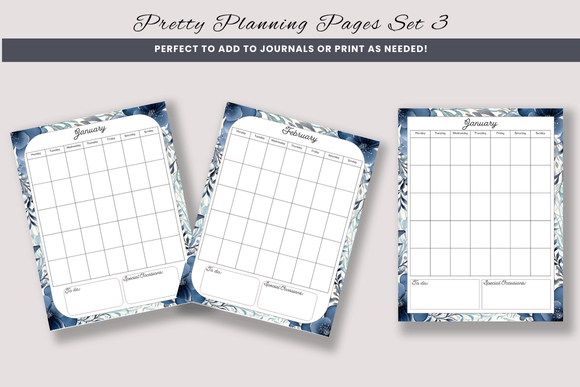
Unlock Creativity with Decorative Planning Pages Set 3
In the fast-paced world of content creation and small business management, the tools we use to organize our thoughts often dictate the quality of our output. There is a distinct satisfaction in opening a planner or a digital canvas that not only functions well but also inspires action through its design. This is where Decorative Planning Pages Set 3 steps in as a versatile asset for creators, educators, and entrepreneurs alike. This collection is not merely a set of static images; it is a foundational toolkit designed to be printed as-is or adapted into unique products that resonate with your specific brand voice.
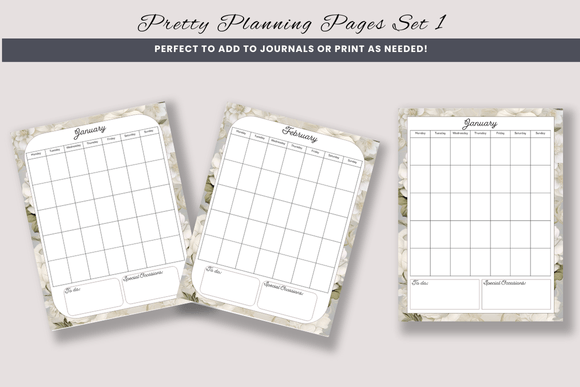
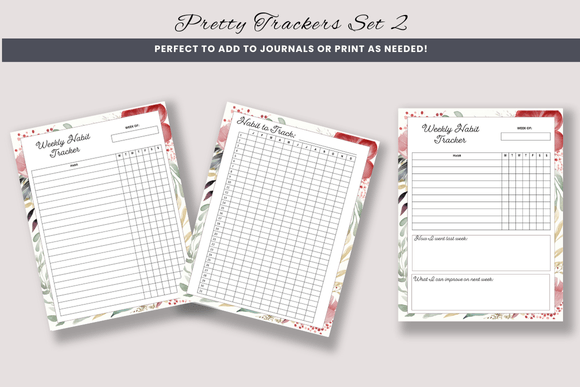
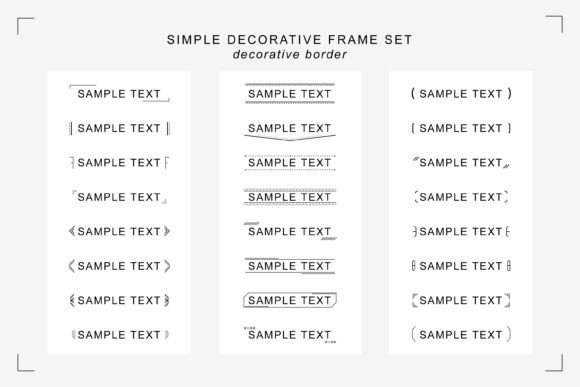
The core appeal of this set lies in its flexibility. Comprising 150 different pages, the collection offers an extensive range of layouts suitable for daily scheduling, goal tracking, project management, and creative brainstorming. Each page is crafted with a cohesive aesthetic that matches the broader ecosystem of Decorative Stationery Set 3, Decorative Lists Set 3, and Decorative Trackers Set 3. This consistency allows users to build comprehensive planning systems where every element feels part of a unified whole, rather than a disjointed assortment of templates.
Bridging Physical and Digital Workflows
One of the most practical advantages of this resource is its dual-format utility. The zip file includes a high-quality PDF ready for immediate printing, catering to those who thrive on the tactile experience of writing on paper. For stationery enthusiasts, teachers creating classroom materials, or coaches distributing physical workbooks, this "print-ready" aspect saves hours of design time. You can bind these pages into custom planners, sell them as downloadable printables, or use them as handouts for workshops without needing to adjust margins or resolve resolution issues.
However, the value extends far beyond the printer. The inclusion of individual PNG files with transparent backgrounds (or included background pictures) opens a world of digital customization. For graphic designers, social media managers, and digital product creators, these PNGs serve as robust layers in programs like Canva, PowerPoint, or Adobe Photoshop. Because the background picture is included separately, you have the freedom to place these planning elements over any color, texture, or brand pattern you choose. This level of control ensures that the final product looks native to your specific project rather than a generic template.
Creative Applications for Diverse Professionals
The versatility of Decorative Planning Pages Set 3 means it serves a wide spectrum of professionals. Consider how different users might leverage these 150 pages to meet their unique goals:
- Educators and Tutors: Create engaging lesson planners or student activity sheets. By importing the PNGs into a presentation tool, you can add subject-specific graphics or instructional text, turning a standard planning page into an interactive learning module.
- Digital Marketers: Use the layouts to design social media carousels that guide followers through a strategy session. The decorative elements add visual interest, keeping the audience engaged while delivering high-value organizational tips.
- Small Business Owners: Develop internal operational manuals or client onboarding packets. The professional yet approachable design helps maintain a polished brand image while ensuring critical information is organized logically.
- Hobbyists and Bloggers: Craft niche-specific journals, such as gardening logs, fitness trackers, or recipe organizers. The ability to adapt the pages means you can tailor the headers and sections to fit very specific hobbies that mass-market planners ignore.
Strategies for Effective Adaptation
While having 150 pages at your disposal is empowering, the key to maximizing their potential lies in thoughtful adaptation. Simply printing the PDF is effective, but modifying the elements can elevate the utility of the pages. When working with the PNG files in design software, consider the hierarchy of information. If you are adding text boxes or additional graphics, ensure they do not obscure the functional lines or checkboxes of the original design. The goal is to enhance clarity, not clutter the page.
Consistency is another crucial factor. Since this set matches other "Set 3" collections, you have the opportunity to create a modular system. For instance, you might use a page from the Decorative Lists Set 3 for a weekly to-do list, pair it with a budgeting sheet from the Decorative Trackers Set 3, and finalize the week with a reflection page from this planning set. When combining these elements digitally, pay attention to scaling. Ensure that the line weights and font sizes you add match the proportions of the original decorative elements to maintain a professional, cohesive look.
Maintaining Originality in a Saturated Market
For those selling digital products or physical stationery, standing out is essential. These planning pages provide a beautiful foundation, but your unique value comes from how you customize them. Do not just resell the files as they are; instead, use them as components in a larger solution. Add your own proprietary frameworks, unique color palettes that align with current trends, or specialized prompts that address specific pain points in your niche.
For example, a life coach could take a standard daily planning page and overlay it with a "mindset check-in" section using their own branding colors. A project manager might integrate these pages into a client portal, adding company logos and specific milestone markers. The background picture included in the zip file allows you to swap out the default aesthetic for something that speaks directly to your target audience, whether that means a minimalist corporate look or a vibrant, artistic vibe.
Practical Tips for Implementation
To get the best results when working with Decorative Planning Pages Set 3, keep these practical recommendations in mind:
- Test Your Prints: Before committing to a large print run or selling a digital download, print a sample page on the intended paper stock. Check that the lines are dark enough to write on and that any decorative backgrounds do not interfere with legibility.
- Layer Wisely: When using Canva or PowerPoint, lock the background layer to prevent accidental movement. This ensures that when you drag and drop new elements, your base design remains intact.
- Focus on White Space: One of the strengths of good planning design is adequate white space. When adding your own text or graphics, resist the urge to fill every empty corner. Allow the user's eye to rest and the written content to breathe.
- Organize Your Assets: With 150 pages and separate background files, file management is key. Create a clear folder structure on your computer so you can quickly locate the specific layout or background element you need during the design process.
Ultimately, the power of this collection is in its ability to streamline your creative workflow. It removes the barrier of starting from a blank canvas, providing a structured yet beautiful starting point. Whether you are building a personal organization system, developing a product line, or creating educational resources, these pages offer the reliability and aesthetic appeal needed to execute your vision effectively. By blending the ready-to-print convenience with the adaptive potential of the PNG files, you can produce work that is both highly functional and visually compelling.